Managing saved payment methods
💳
Managing saved payment methods
Credit and debit cards may be stored and removed via the customer portal. This menu allows for safe and easy payment method management.
Currently we support credit or debit cards with the Visa or Mastercard logo through Merchant Warrior.
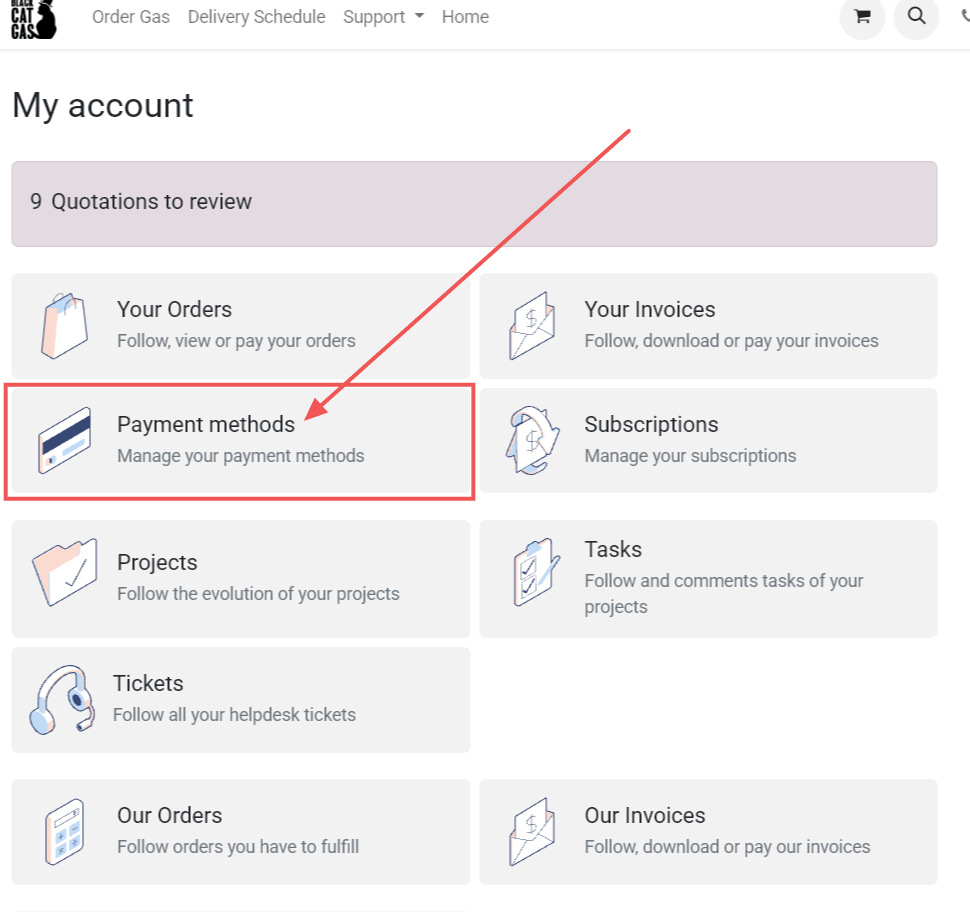
To access the payment management page from the portal, click on "Payment Methods".
For more information about accessing the portal, see the following pages. 📬 Accessing the Portal ⛳ Logging In.
Adding a new credit or debit card
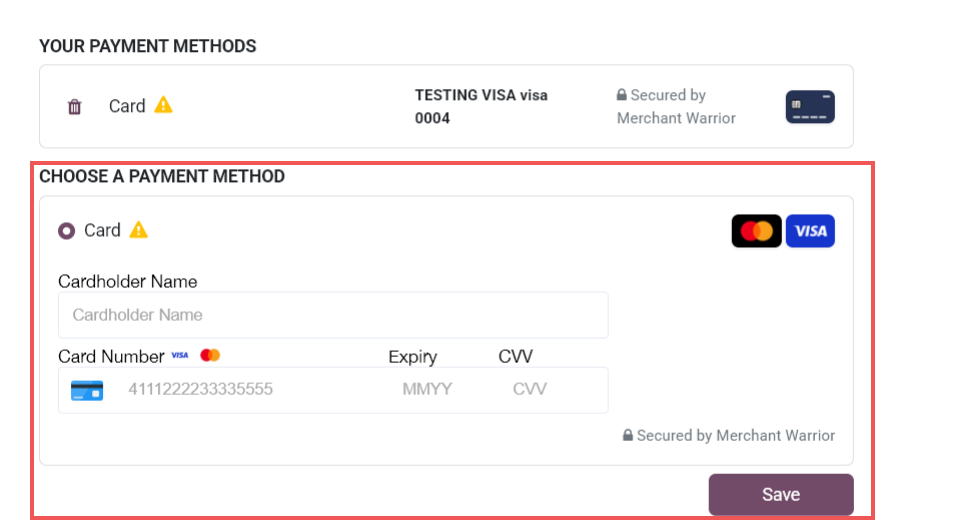
In the payment methods page, add a new payment method by entering in the details for the method selected, then clicking save. An example for adding a credit or debit card is pictured below.
Removing a credit or debit card
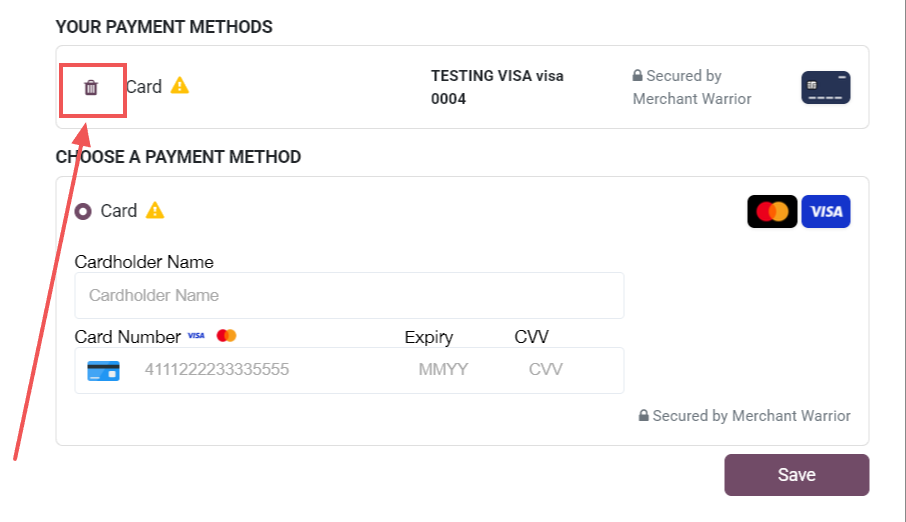
To remove a payment method, click on the bin icon next to the saved method. Note that this is irreversible.