Ordering Gas
🐧
Ordering Gas via the Portal
How to order a replacement 45KG LPG Cylinder
- Whilst on Blackcatgas.com, click on "Order Gas" link located on the top menu bar. On mobile devices, the menu bar can be accessed by clicking on the box containing three horizontal lines.
More information about logging in can be found here:📄 Logging In .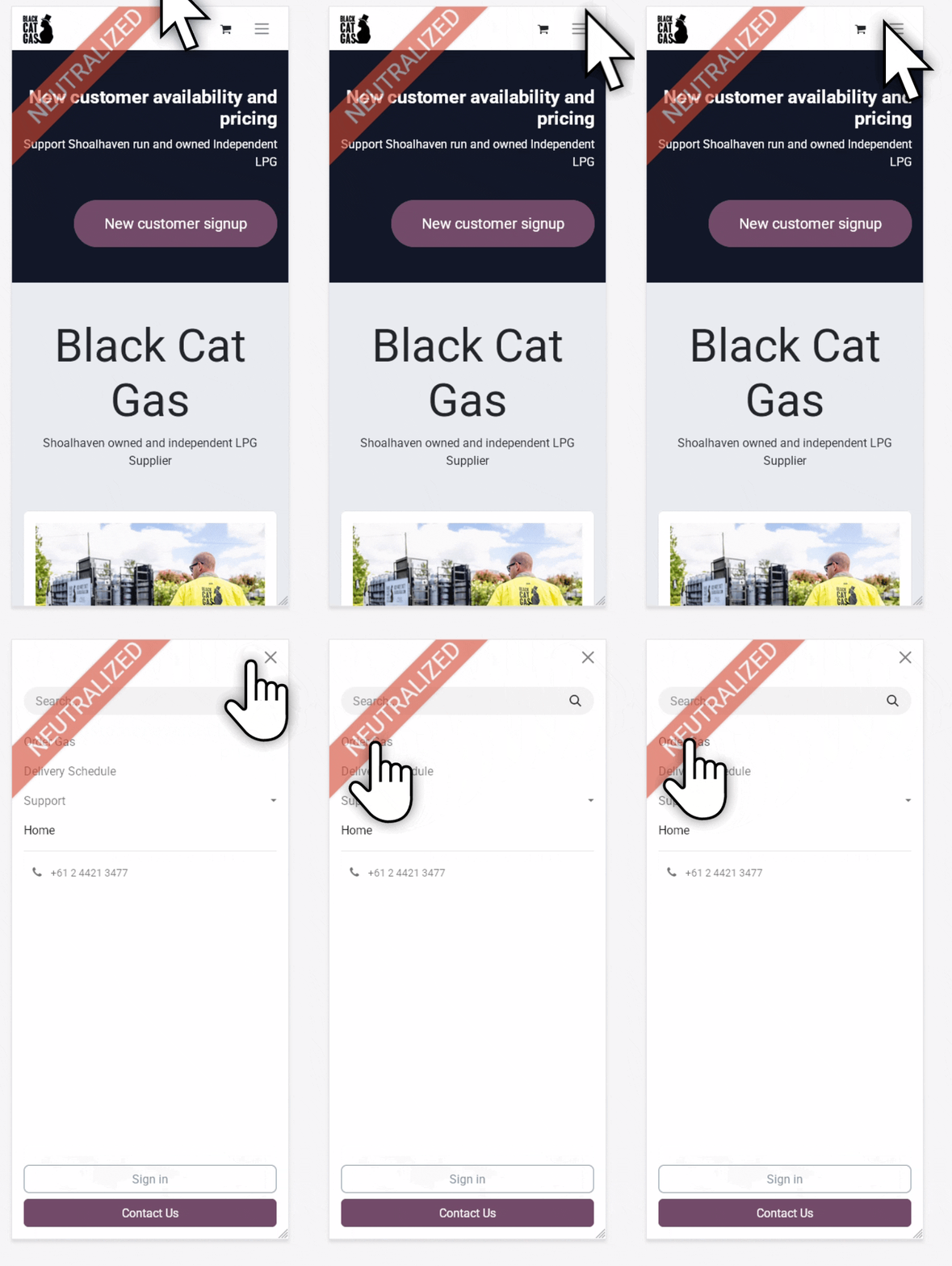
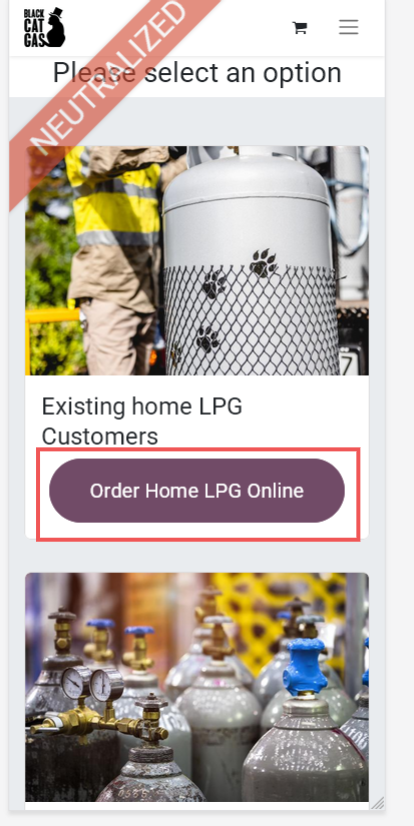
- Click on "Order Home LPG Online"
- Adjust the total quantity of cylinders to order (default 1) and then click "Add to cart".
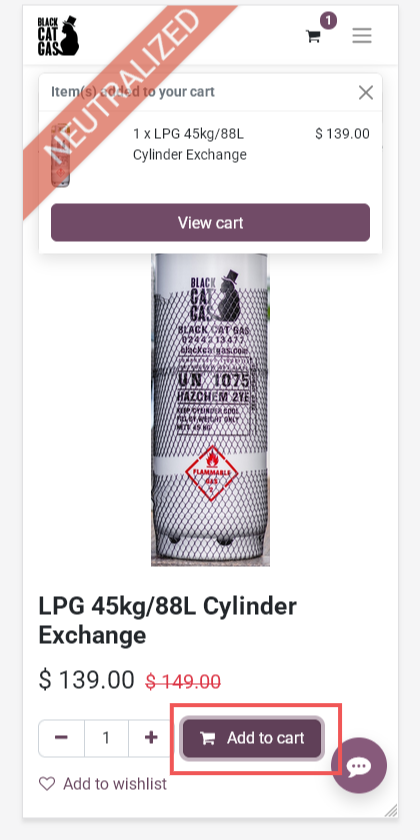
- Click "View Cart" on the popup if present, else select the shopping trolley icon at the top of the page to see the contents of your draft order. Additional adjustments to quantity can be made here by using the "+" and "-" buttons.
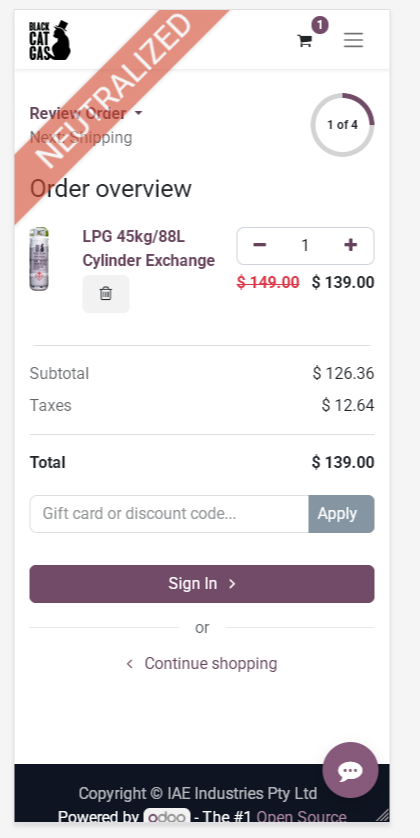
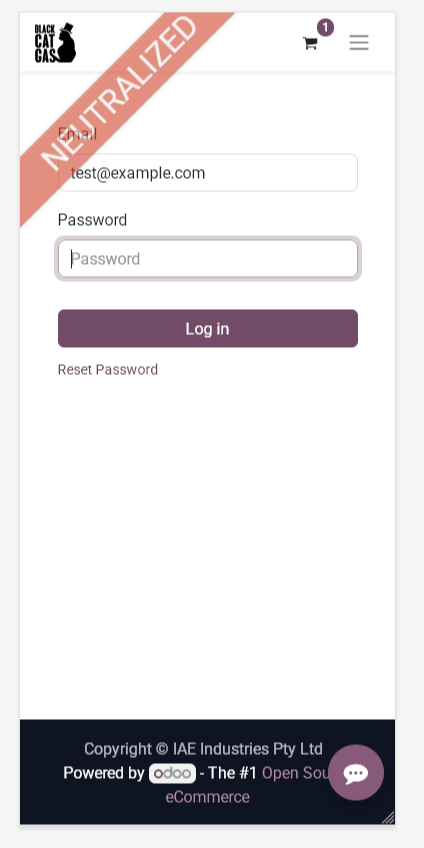
- Click Sign in, if not already signed in. Enter your username (the email associated with the account) and password into the box and click login. If you have forgotten your password, click on "reset password" to begin that process.
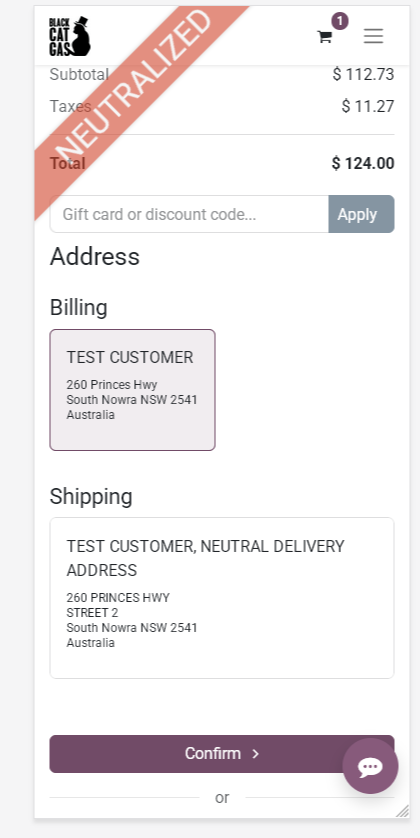
- If you have multiple delivery addresses, you will be able to adjust where the cylinder is to be delivered here. Else, click confirm at the bottom of the page to continue.
- The extra info pages allows for the following OPTIONAL fields to be filled.
PO: If ordering for a business organisation that requires purchase order numbers for billing purposes.
Driver Notes: For gate codes, etc. Only visible when your order is next in line.
Urgency: How urgent your order is. This is used when scheduling orders, allowing us to prioritise people who are out of gas.
Click continue checkout when done.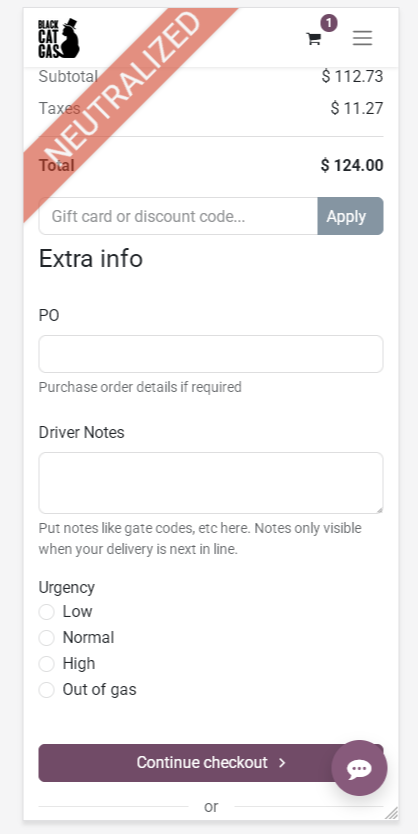
- The checkout page shows an order summary, including selected billing and shipping addresses, a choice of delivery method and payment details.
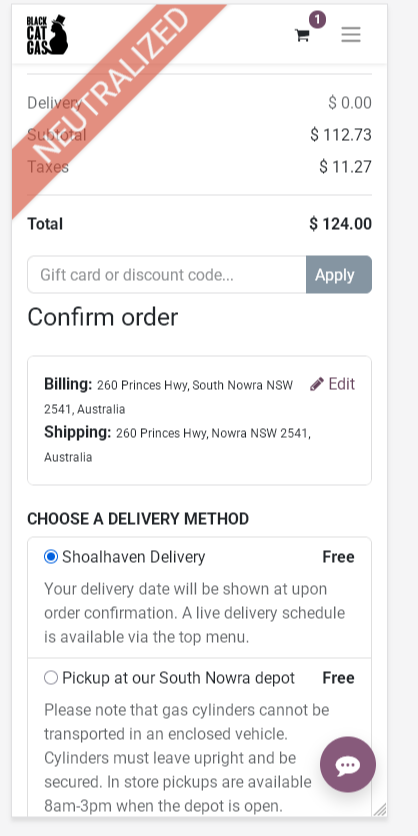
- To complete the order, select the preferred payment. Saved cards are available to use if any are present on the account. If you wish to add a new card instead of using a saved card, click "Choose Another Method". The area will expand to allow a new card to be inputted.
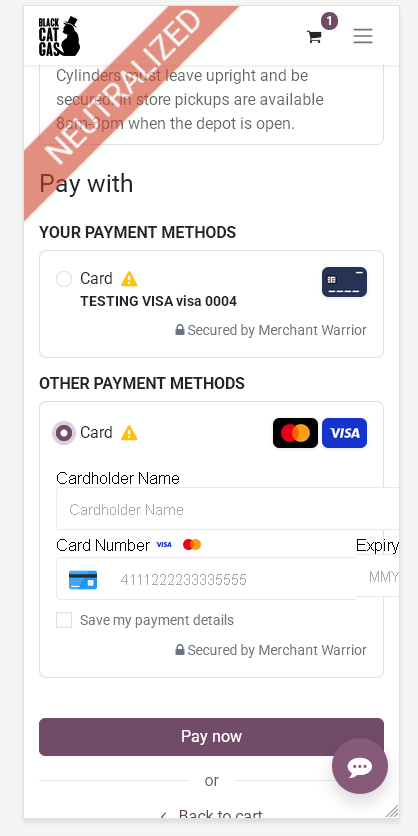
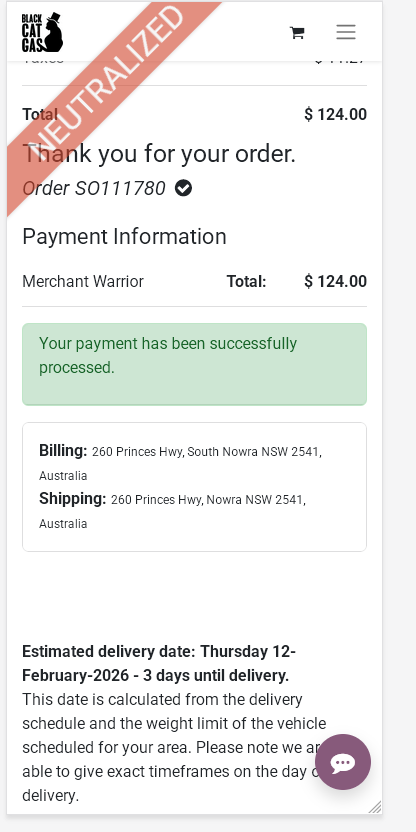
Click pay now when ready to proceed. - After a successful payment, a screen showing the delivery date and order reference will be displayed. A receipt will be sent via email, as well as being present inside the customer portal.